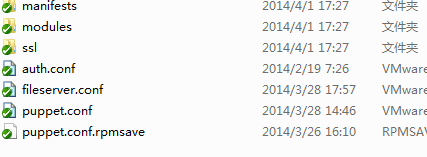
第一步,安装git:
yum install curl-devel expat-devel gettext-devel openssl-devel zlib-devel
yum -y install git
第二步,配置:
git的传输协议 有 ssh git 和 http 协议,公司的git是http协议,我使用的是ssh协议。ssh协议一是比较安全,二是因为比较高效。
缺点就是权限不好控制
要像SVN那样变态地控制权限,用Gitolite。不过我的比较简单,就没用这个了。
先创建git账号
adduser git
创建的git用户不允许登录shell,这可以通过编辑/etc/passwd文件完成。找到类似下面的一行:
git:x:1001:1001:,,,:/home/git:/usr/bin/git-shell
到达需要创建的目录
git init –bare
即可
再来说说授权的问题
linux下 很简单
ssh-keygen
生成id_rsa 和 id_rsa.pub
将id_rsa.pub 内容放到git服务器的 /home/git/.ssh/authorized_keys 里 即可
windows的话 我用的是tortoisegit
要用到puttygen.exe
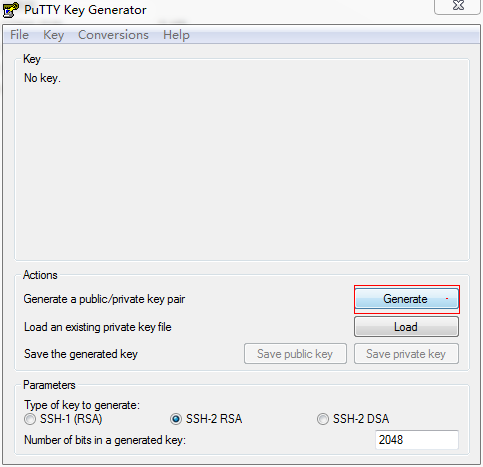
在空白处移动鼠标
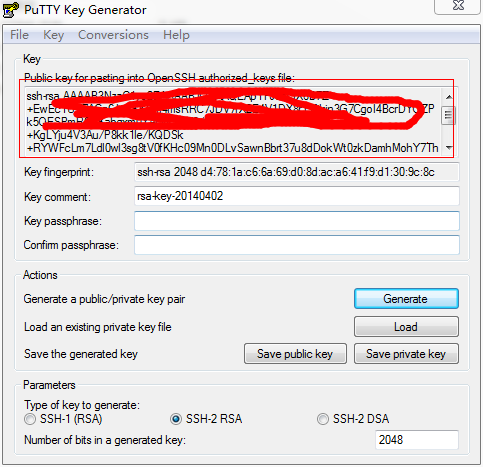
把这个公钥的 放到 /home/git/.ssh/authorized_keys 里 然后点击生成私钥 给自己的git客户端使用。
我之前尝试用Gitolite去管理,不过可惜私钥不工作,后来就没研究了。
git图标问题
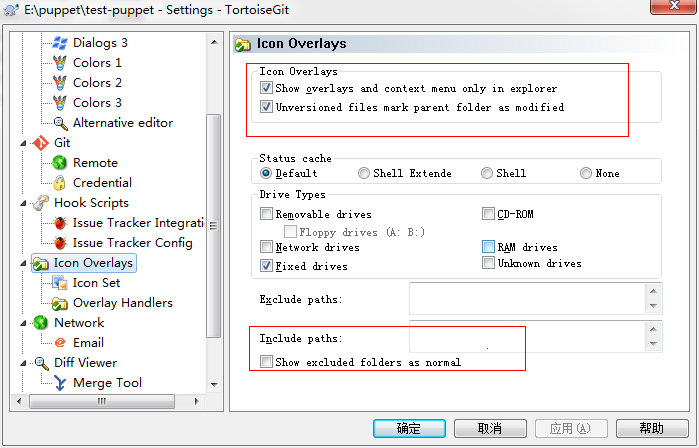
这样设置之后还没显示,可以试试下面的操作
当TortoiseGit升级到1.8.6.0的时候(如图),在客户端图标不显示。
解决方法:
在Windows任务管理器中选择“explorer.exe”点击右键“结束进程”。
之后在Windows任务管理器窗口点击“打开”–》新建任务(运行)–》在打开中输入“explorer”
重新启动explorer.exe进程就可以解决该问题。