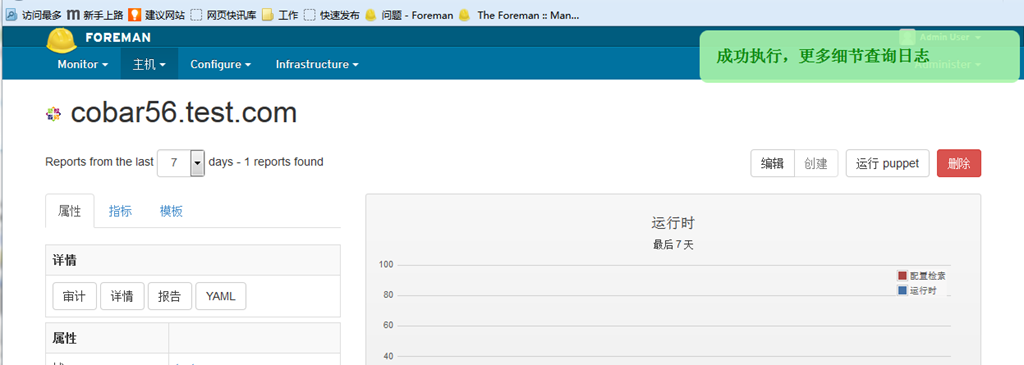
之前安装了 mco 和 foreman ,现在的问题就是整合2个工具,测试了很多有很多问题。最终还是整合了。
首先安装 plugins
参考文档:http://theforeman.org/manuals/1.4/index.html#6.Plugins (注意版本)
Configure the repo by creating /etc/yum.repos.d/foreman_plugins.repo:
[foreman-plugins]
name=Foreman plugins
baseurl=http://yum.theforeman.org/plugins/1.4/el6/x86_64/
enabled=1
gpgcheck=0
Install the package, e.g.
yum install ruby193-rubygem-foreman_discovery
yum -y install ruby193-rubygems-devel
yum -y install ruby193-ruby-devel
安装 foreman-mco
yum -y install ruby193-rubygem-uglifier
yum -y install ruby193-rubygem-foreman-mco
配置 foreman
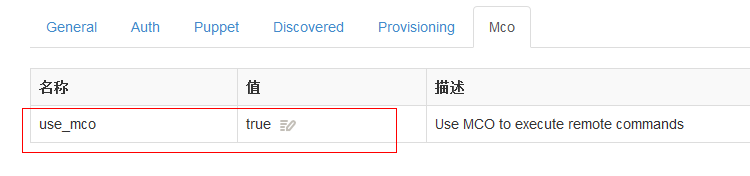
配置配置文件
/etc/foreman-proxy/settings.yml
添加
# enable MCollective integration
:mcollective: true
根据 smart-proxy的配置文档添加
:puppet_provider: mcollective
添加sudo 执行
cd /etc/sudoers.d/
cp foreman-proxy foreman-mco
vi foreman-mco
[root@puppet ~]# cat /etc/sudoers.d/foreman-mco
foreman-proxy ALL = NOPASSWD : /usr/bin/mco *
Defaults:foreman-proxy !requiretty
如果按照之前mco的注册的话 mcollective 注册是 hostname ,而foreman执行脚本是 fqdn。
示例
about to execute: /usr/bin/sudo /usr/bin/mco puppet runonce -I php53.test.com
而不是 /usr/bin/mco puppet runonce -I php53.,所以要将 mcollective server 的 identity 指定,可以通过puppet 的模板实现
在 server.cfg的模板添加
#identity
identity = <%= fqdn %>
即可
下面上图